Built for Utility Contractors
Every feature designed to solve real problems in underground construction. Not a generic tool with a fiber sticker on it.

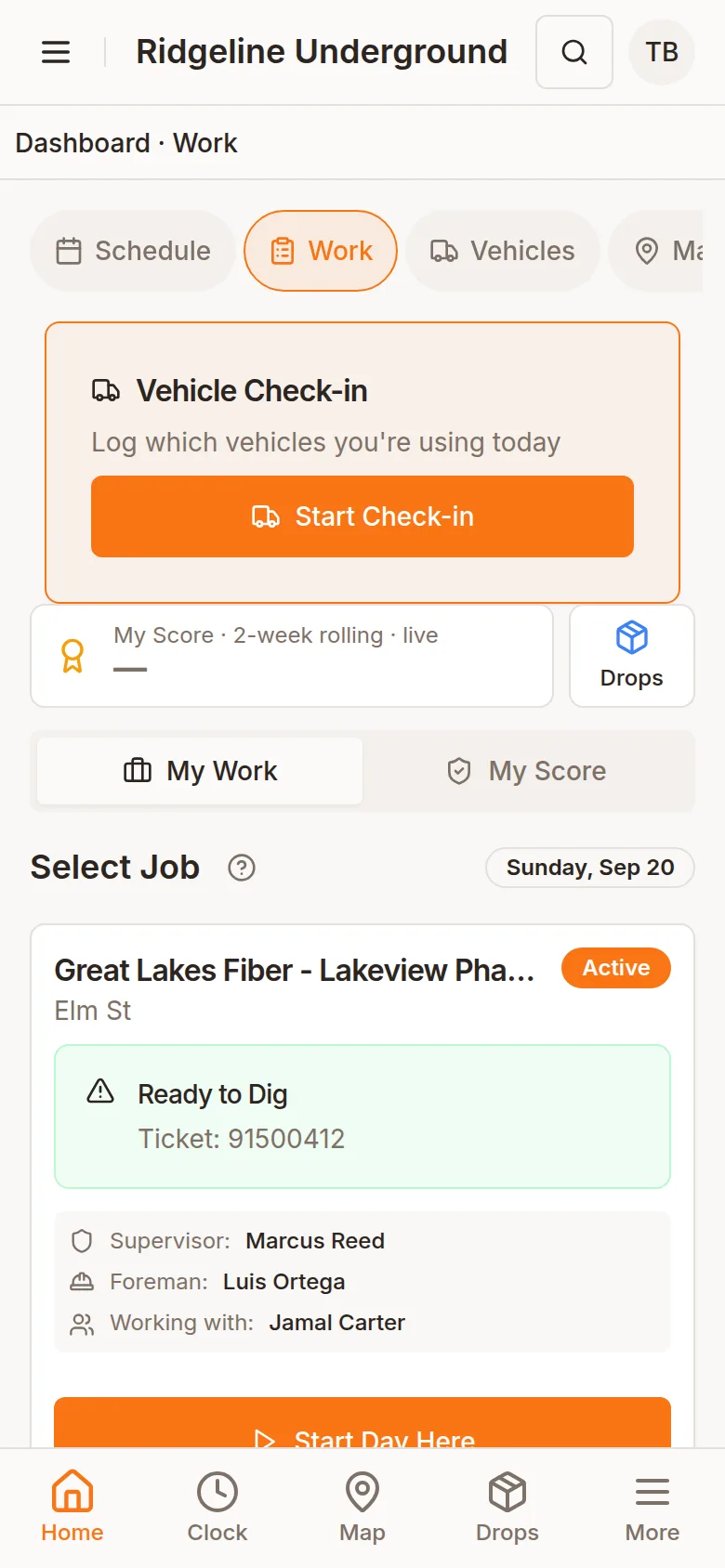
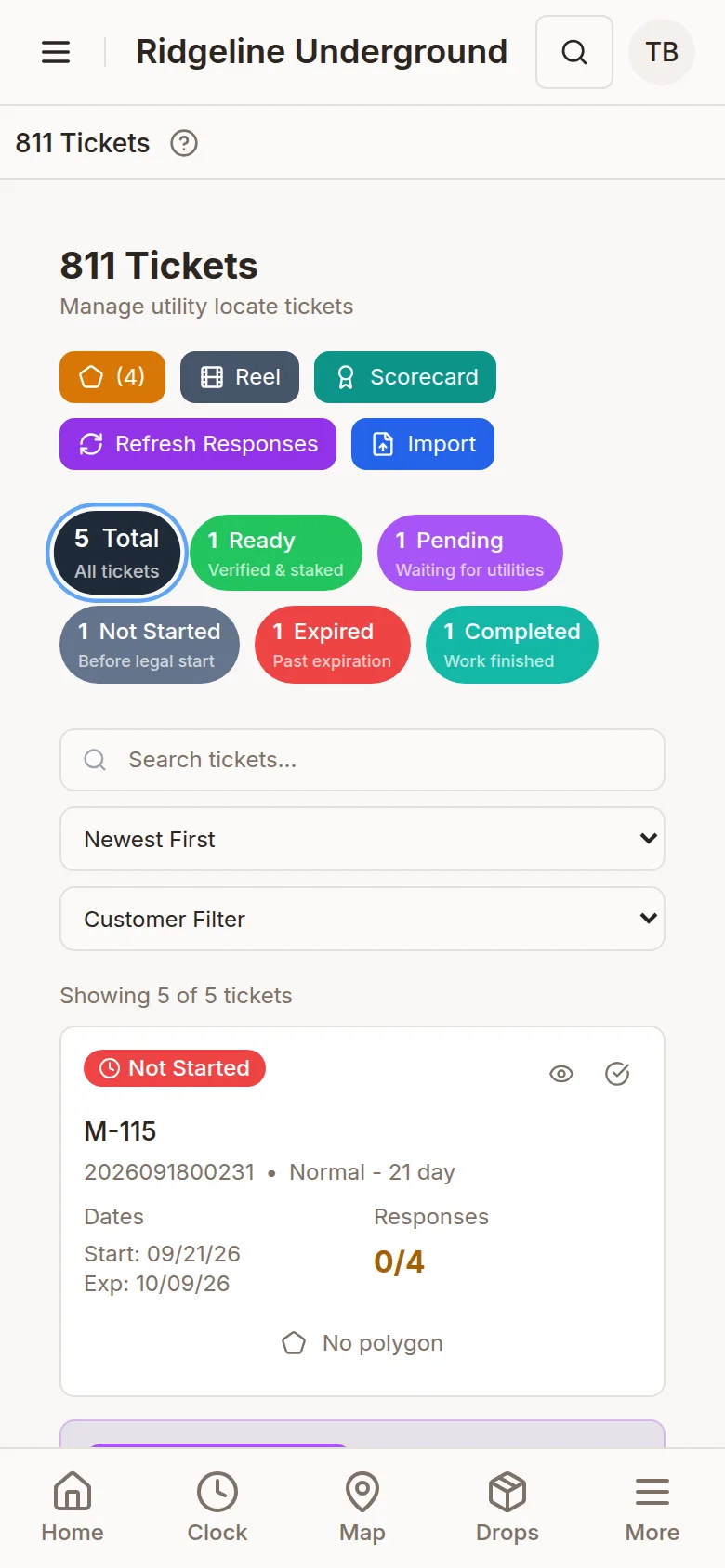
Map: a real capture. Other screens: sample company data.
The Features That Set Us Apart
Industry-specific capabilities you won't find in generic project management tools
Map-Based As-Built Tracking
Capture what was actually installed, where. Crews mark each segment on the map from the phone, the footage follows the print stations along the planned route, and the reel readings are checked against it.
Tap the start and end on the run, or slide the range. Footage comes from the stations on the print.
Start and end footage from the reel. Confirms the material used and shows the waste.
If the reel readings come up short of the segment, or more than 40 feet over, the crew sees it before saving, so a mismatch gets a second look instead of slipping through.
811 Tickets
Utility strikes are expensive and dangerous. Every ticket's status and expiry are in one place, and every job and drop shows whether it is clear to dig before a crew starts.
- PDF reading - Reads Michigan 811 caller-confirmation and positive-response PDFs for you; other states import tickets from Excel
- Dig areas on your map - The ticket's dig area is drawn over your project scope (pulled automatically for Michigan tickets, drawn by hand otherwise)
- Utility responses - Each utility's answer tracked per ticket (Michigan response codes read for you)
- Expiration alerts - See which tickets are expiring soon so clearances don't lapse
- Linked to the job - Each ticket knows the jobs and drops it covers, so the dig verdict is per job
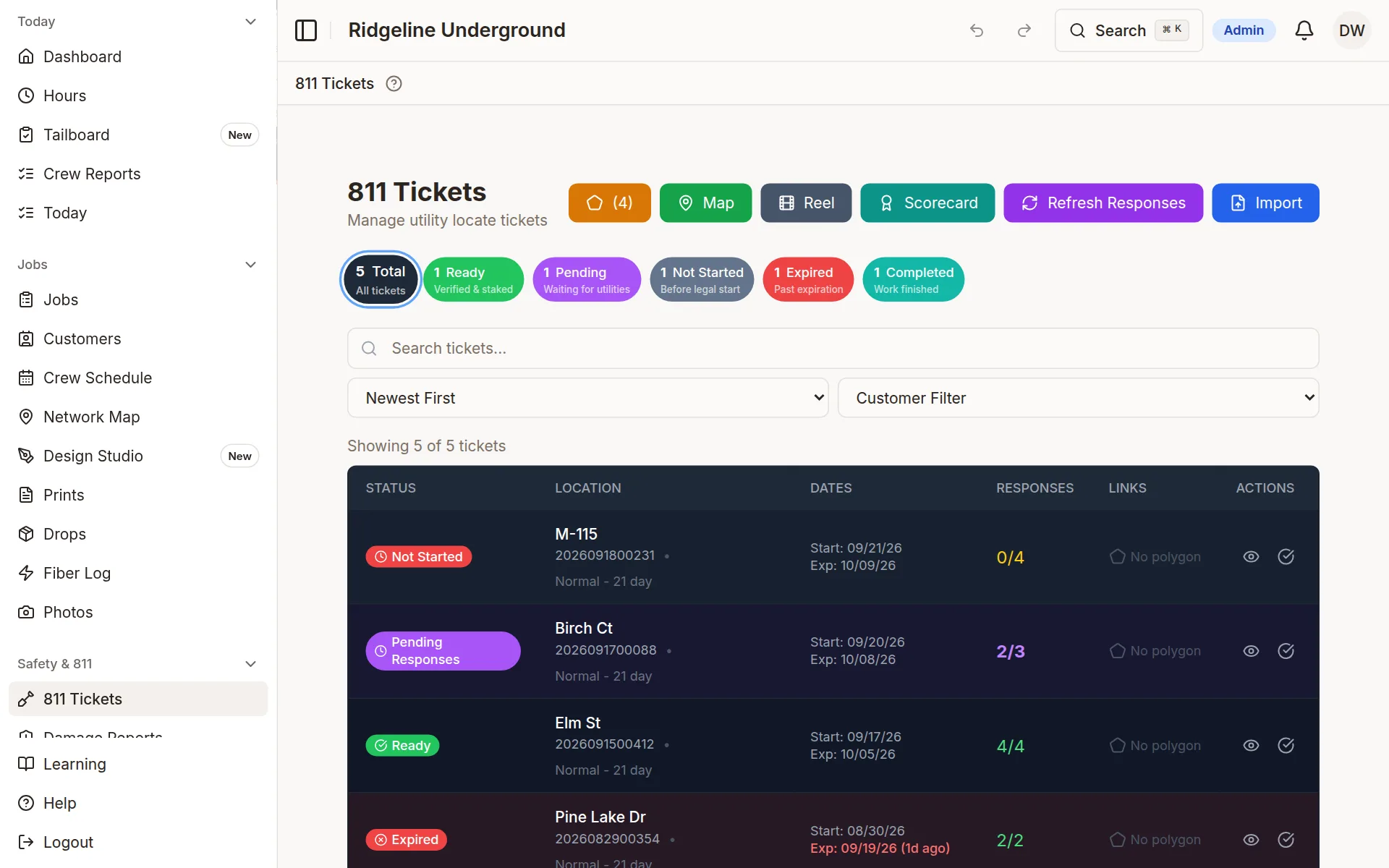
Sample company data
Receipt Tracking & Reconciliation
Stop chasing crumpled receipts. Snap a photo in the field and reconcile spend against your card statements.
Capture in the Field:
- Snap a photo of any receipt
- AI pulls vendor, date, and amount
- Tied to the crew and the job
Reconcile in the Office:
- Match receipts to card-statement transactions
- Spot missing or unmatched charges
- Keep expenses organized by project
Real-Time Fleet & Crew GPS Tracking
Know where every truck with a tracker is, now. Live position and alerts from Linxup or OneStepGPS; trip history, stops and driver scores from Linxup.
Live Vehicle Tracking
Current location, speed, last update and the assigned driver.
Trips and Alerts
Trip history with stops, speeding and harsh-braking alerts, and driver scores (Linxup).
Your Trackers
Works with Linxup and OneStepGPS units already in the trucks.
Visibility for Everyone
Management sees the whole job by opening the app — not by calling the field. It opens the office's eyes without nagging the people actually doing the work.
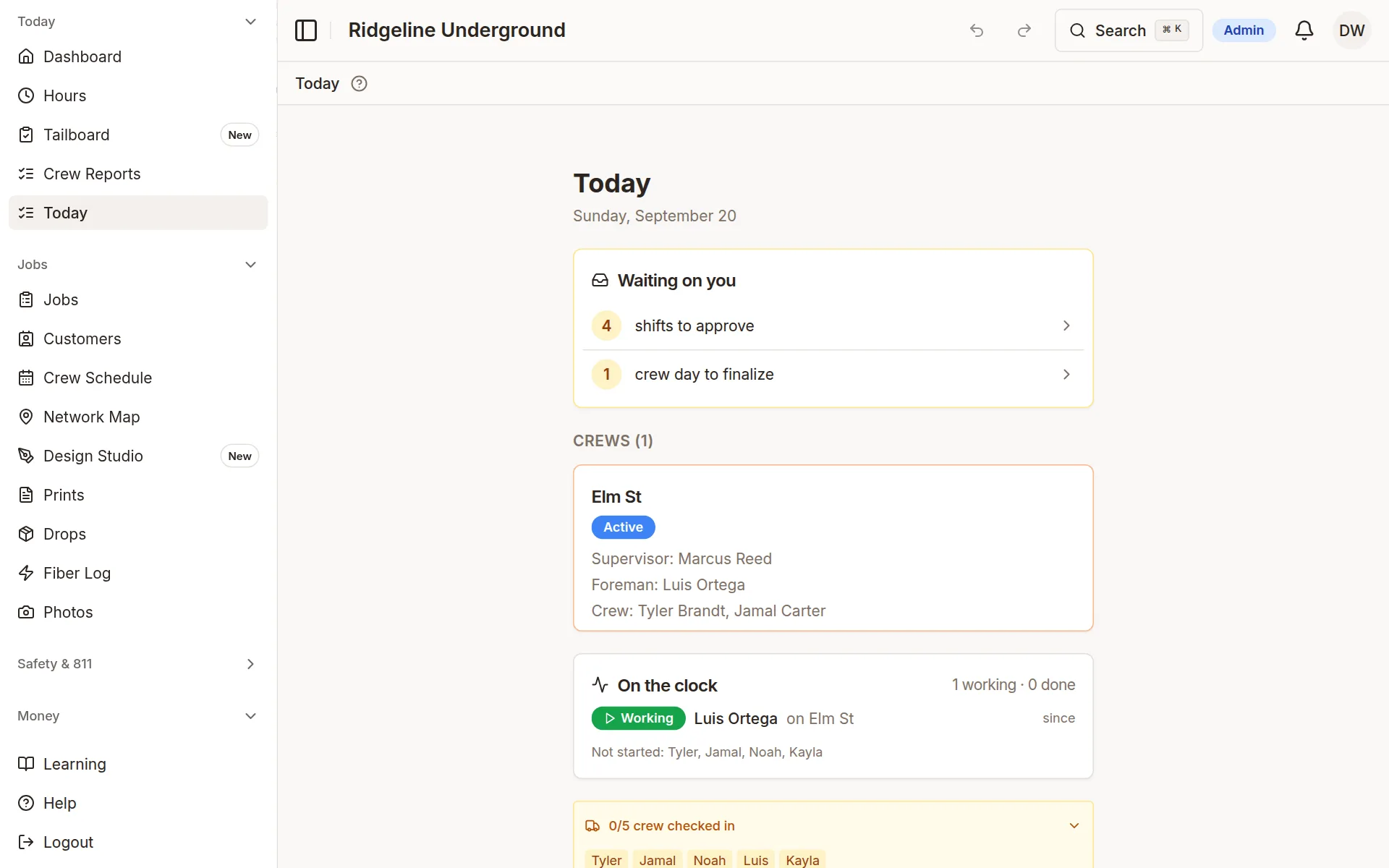
What You See, Live:
Who is on which job today, with their supervisor, foreman and crewmates, on the Today screen.
Live locations for every truck with a tracker, and driver scores from Linxup trips.
Installed footage and completion update on the map as crews log work in the field.
The picture is always current, so the office stops chasing the field for updates.
Compliance & Audit Trail
Show a customer what happened without scrambling for paperwork. Changes across jobs, 811, fleet, drops and damage reports are logged with who and when.
What Gets Logged:
- • Work order status changes with actor & timestamp
- • Crew reports and their attachments
- • Inventory and reel changes
- • 811 ticket links and clearances
- • Admin overrides and corrections
- • Damage reports with crew statements
How It Is Kept:
- • Nobody can edit or delete an entry from the app
- • Every entry stamped with who, what, and when
- • Entries kept for 12 months
- • History per work order
- • Always ready to show a customer what happened
Complete Operational Platform
Everything you need to run your utility construction operation efficiently
Material Inventory
Conduit and fiber tracked by reel; tracer wire and couplers as counted items. Every pull is logged to the job and segment it went into, with waste calculated.
Vehicle Maintenance
Scheduled maintenance by miles, hours or months. Service history. Reminders when service is due.
Crew Analytics
Production by crew and by day. Compare crews, see who installed what, and plan assignments from the numbers.
Damage Reporting
Damage and near-miss reports with GPS, photos and crew statements, the 811 ticket attached, and an evidence packet to hand over.
Photo Documentation
Photos watermarked with GPS (when the phone has a fix), time and who took it. Before, during and after. A searchable gallery.
Interactive Maps
Google Maps with your scope drawn on it, as-built progress by run, and the map opened on the job you started.
Customer Portal
Project visibility for customers. Progress tracking. Photo access. KML export. Reduce inquiries and build trust.
Drop Management
Bulk-import drop sheets, attach each sheet to its drop, complete and redline drops in the field, and see every drop on the map.
Equipment Tracking
Tools and attachments: who has what, where it is, and what is in the shop. Drills and excavators get scheduled service under Fleet.
See It In Action
A walkthrough on your own kind of jobs, with the people who built it.